
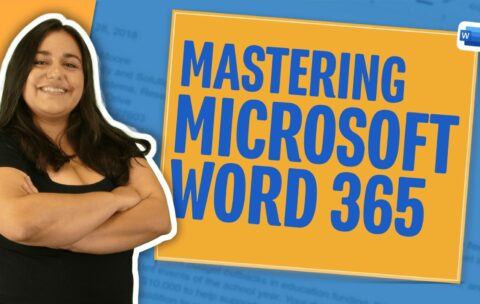
What you'll learn
How to create new or open existing document
How to Save As doc and where to save it, know how to Save to protect changes
Know how to print preview, select a printer, and adjust key printing settings
Create new text, highlight text, move your cursor to where you want to add it, deleting (including undo and redo), starting a new paragraph
Learn Cut, Copy, Paste, and Paste special commands and shortcuts, and how to locate other "scraps" from the clipboard
Learn how to find specific keywords in a document and then how to replace them
Import text from a PDF
How to change font, quick tip on difference between serif and sans serif, and how to change size
How to preview presets and customize and save your own style setting
Learn how to 'cut and paste' desired formatting easily throughout the document
Learners understand how to space their document according to desired specifications
Organize text in a document and make it easier to read by spacing text using tabs
How to sort a list of words and a list of numbers
Start columns from scratch or format existing text into columns with fewer formatting side effects
Learner can create a bulleted list or a list with numbering and can adjust the style of the bullets and numbers, and can troubleshoot
Insert and manage headers, footers and page numbers
Learner can manually insert page and section breaks into document
How to adjust margins and orientation if their project calls for it
Insert an image from file or by copy/pasting
Mark up a document or draw/insert shapes to add a focus
How to accept spelling and grammar suggestions as you go
Microsoft Powerpoint 365 Fundamentals
After this course participants will be able to competently navigate …
What you'll learn
Identify tools used for Java development
Code and execute Java command line programs
Understand the Java fundamental Java concepts like variables, conditionals, loops and arrays
Understand Classes and objects and apply them to Java Coding
Work with fundamental objects like ArrayLists to store complex data
What you'll learn
JavaScript syntax, style, and usage with a focus on developing apps
Be Current with ES6 Syntax and Usage
Fundamental to Advanced JavaScript Concepts including Promises, Classes, and Arrow Functions
Integration of JavaScript with HTML5 Code for Web Applications
What you'll learn
Students will learn proper CSS syntax and selectors
You will learn to make typographical adjustments with CSS
You will learn contemporary page layout techniques with CSS
Apple Mac OS – From Beginner to Expert
Mac OSX might be the most powerful operating system ever …
What you'll learn
The basics of running and using OSX
Using and Optimizing the Finder and Files
How to use the software that comes with your Mac like Facetime and the Apple calendar
How to take advantage of setting shortcuts to be more productive
How to maximize gestures to be more productive.

What you'll learn
What HTML5 is and Entails
How to Display HTML5 Code in a Browser
The Tool to Use for Coding
How HTML5 Documents are Structured
Displaying Paragraph Text with HTMl5
Displaying Heading Text with HTML5
Displaying Lists
What CSS is and How it Should be Used
How to Apply CSS Styles
Selecting Font and Adjusting Font Size
How to Style Lists with CSS
How to Use Classes and IDs
Creating Internal and External Hyperlinks
Displaying Images on a Page
Playing Audio on a Page
Playing Video on a Page
How to Assemble and Code an MP3 Player
Understand Basic Table Structure
Understand Complex Table Structures
Design a Table with CSs
Obtain User Input
Create Online Forms
Accept Information in the Form of Numbers, Dates and Colors
Create Form Dropdowns
Create Submit and Reset Buttons for a Form
Create Generic Buttons
Create Radio Buttons and Check Boxes
Style Forms with CSS
Use the CSS Box Model
Understand How to Create Borders, Background and Margins
Understand Static, Fixed, Relative and Absolute Positioning Models
Create Floating Elements
Understand Responsive Design
Apply Responsive Design for Mobile
Use a Responsive Design Framework
Write a Procedural Program in Python
Run Python Command Line Code
Obtain Command Line Input in Python
Output Strings with Print
Output Expressions with Print
Create Variables
Use Input Statements
Understand Programmatic Decision Making
Use Simple and Complex IT Statements
Create While Loops
Create For Loops
Create Break and Continue Statements
Understand the Role of Functions in Coding
Create Parameterized Functions
Create Functions that Return Values
Create List Structures
Create a Dictionary Data Structure
Understand File Input/Output
Write to a File
Read in From a File
Work with CSV (Comma Separated Value) Data
Work with Dates in Python
Work with Regular Expressions in Python
Complete Basic Networking in Python
Download and Parse XML
Java Script Specialist: JavaScript ES6 Certification Course
Earn the JavaScript Specialist Certification while learning JavaScript Es6 …
What you'll learn
JavaScript syntax, style and usage with a focus on developing apps
Be Current with ES6 Syntax and Usage
Fundamental to Advanced JavaScript Concepts including Promises, Classes, and Arrow Functions
Integration of JavaScript with HTML5 Code for Web Applications